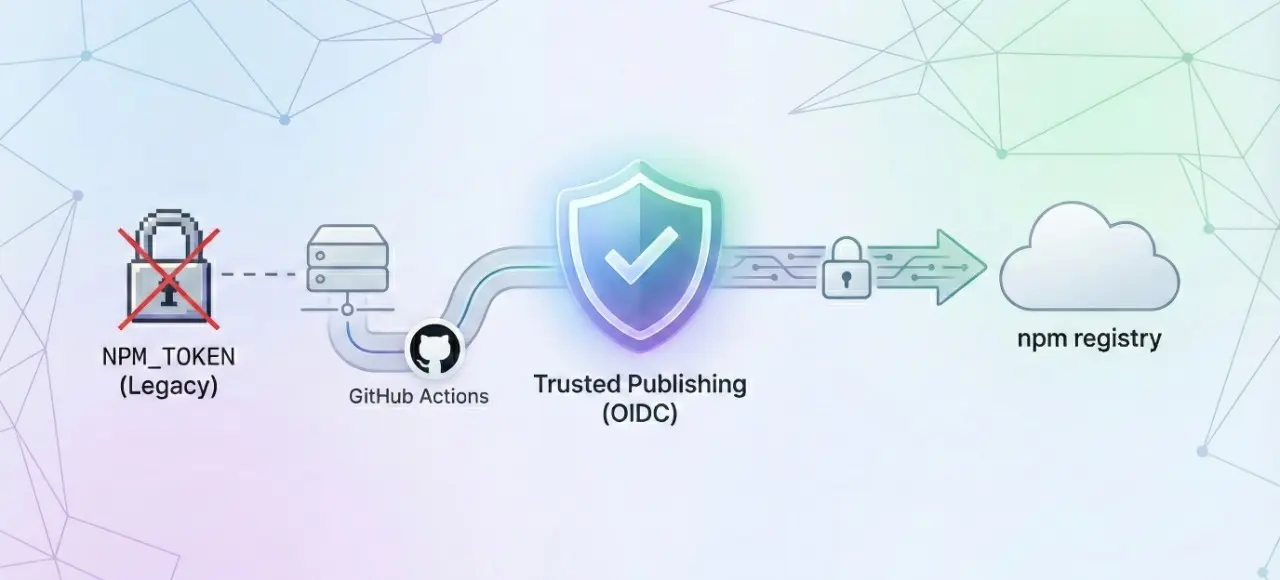
我最近都在瘋狂用 AI 重新打造各種輪子,有些工具我有上架到 npm registry 發佈。以前我都是用 NPM_TOKEN 來做 CI 發佈的動作,現在官方推薦改用 Trusted publishing 的方法來發佈 npm 套件,徹底廢棄了傳統的 NPM_TOKEN 的方式來認證,使用上不但更安全,且「理論上」也更好設定。但「事實上」我最近一個月以來,至少被卡關三次,超煩的,我打算用這篇文章來記錄一下需要注意的事項。
背景資訊
現在透過 GitHub Actions 發佈 npm 套件到 npm registry 官方強烈建議改用 Trusted publishing 進行發佈,以下是幾點關鍵注意事項:
- 移除舊設定:原本用於 CI 的
NPM_TOKEN 環境變數必須刪除。
- 啟用 OIDC:為了啟用 OIDC 支援,Workflow 必須加上
id-token: write 權限。
- 環境要求:GitHub Runner 的 Node.js 版本建議使用 v20 (LTS) 以上版本。
- 升級工具:強烈建議將 npm 升級到最新版 (
npm install -g npm@latest),避免版本過舊導致誤導性的錯誤。
- 後台設定:記得到 npm 套件頁面新增 Trusted Publisher 設定,將其與 GitHub Repo 進行連結。
設定完成後,未來就再也不用手動更新 NPM Access Token 了,既安全又方便!👍
基本設定步驟
以下是我整理的設定步驟:
-
先將你的第一版 npm 套件手動部署
因為你一定要先有一個已經發佈過的 npm 套件,才能使用 Trusted publishing 的方法透過 CI 來自動化發佈後續版本。
# 先登入並取得憑證
npm login

# 發佈套件的第一個版本
npm publish --access public
💡 補充說明:如果你想要移除剛剛發佈的套件,可以透過 npm unpublish 套件名稱 --force 命令來處理!
-
設定 GitHub Actions workflow 透過 CI 自動發佈套件
這部分我個人已經不再手寫了,我現在都透過提示詞讓 AI 會幫我寫到好。以下這段提示就是我踩雷多次後,總結出來的最簡單也最可靠的版本,用生命換來的提示詞! 😄
Add a GitHub Actions workflow to publish this npm package to the npm registry using the Trusted Publisher method. Ensure that Node.js 20 is set up and the latest version of npm is installed in the workflow. Do not use the `NODE_AUTH_TOKEN` environment variable for npm publish.
如果要明確指定觸發自動部署的條件,也可以這樣寫:
Add a GitHub Actions workflow to publish this npm package to the npm registry using the Trusted Publisher method. Ensure that Node.js 20 is set up and the latest version of npm is installed in the workflow. Do not use the `NODE_AUTH_TOKEN` environment variable for npm publish. The trigger for this workflow should be on push to the main branch and when package.json is changed. I need trigger on workflow_dispatch as well.
我們假設這個過程會建立 .github/workflows/publish.yml 檔案,這個檔名 publish.yml 很重要,要先記錄下來!💡
-
到你的 npm 套件頁面新增 Trusted Publisher
以我的 @willh/speckit-initializr 套件為例,首先,你必須是套件的管理者,才看的到 Settings 頁籤。
點進去 Settings 頁籤之後,找到 Trusted Publishers 區塊,點擊 GitHub Actions 或 GitLab CI/CD 按鈕。

然後設定好三個欄位:
- Organization or user
- Repository
- Workflow filename

注意:Workflow filename 一定要填寫剛剛建立的 workflow 檔名,例如 publish.yml。
然後點擊 Set up connection 按鈕完成設定。
關鍵問題分析
這裡最「雷」的地方,就是 GitHub Runner 的 Node.js 版本建議使用 v20 (LTS) 以上版本這一點!
- name: Setup Node.js
  uses: actions/setup-node@v4
  with:
    node-version: '20'
    registry-url: 'https://registry.npmjs.org'
因為不單單是 Node.js 版本要夠新,連帶的 npm 版本也要夠新,否則就會出現一些誤導性的錯誤訊息,讓你以為是 Token 的問題,結果根本不是!
- name: Update npm
  run: npm install -g npm@latest
所以我這一個月來被卡關最多次的地方,就是設定好 CI Workflow 之後,結果發佈失敗,錯誤訊息如下:
npm notice Publishing to https://registry.npmjs.org/ with tag latest and public access
npm notice publish **Signed provenance statement** with source and build information from GitHub Actions
npm notice publish **Provenance statement** published to transparency log: https://search.sigstore.dev/?logIndex=000000
npm notice **Access token expired or revoked.** Please try logging in again.
npm error code E404
npm error 404 Not Found - PUT https://registry.npmjs.org/@willh%2fpdf-to-images - Not found
npm error 404
npm error 404  '@willh/pdf-to-images@1.0.2' is not in this registry.
npm error 404
npm error 404 Note that you can also install from a
npm error 404 tarball, folder, http url, or git url.
npm error A complete log of this run can be found in: /home/runner/.npm/_logs/2025-12-22T10_48_18_076Z-debug-0.log
##[error]Process completed with exit code 1.
這訊息真的太誤導了,因為它說「Access token expired or revoked.」,讓我以為是 Token 的問題,結果根本不是!
他還說我的套件不在 registry 裡面,結果我明明就有發佈過了啊!超級無敵誤導!
結果我後來才發現,問題出在我沒有把 npm 升級到最新版,導致它無法正確處理 Trusted publishing 的流程。
🔥 所以真的問題是:「你現在使用的 npm 工具版本太舊了!」
🔥 所以真的問題是:「你現在使用的 npm 工具版本太舊了!」
🔥 所以真的問題是:「你現在使用的 npm 工具版本太舊了!」
要使用 Trusted publishing 的方法來發佈 npm 套件,你的 npm 版本必須是 11.5.1 或更新的版本,否則就會出現錯誤。
你以為安裝 Node.js v22 LTS 版本就沒事了嗎?錯!因為 Node.js v22 LTS 版本內建的 npm 版本是 10.9.4,所以你還是必須手動升級 npm 到最新版!
你如果安裝 Node.js v24 LTS 的話,雖然內建的 npm 版本已經夠新,有到 11.6.2 版本,但是你的應用程式有可能會先陣亡,遇到破壞性更新的 API 你就慘了!😅
重點是,現在幾乎所的 AI 工具產生的 Workflow 範例,都沒有包含升級 npm 的步驟,你的「提示詞」沒寫好,就很難寫出一次正確的版本,這點一定要特別注意!✊
完整的 GitHub Actions Workflow 範例
name: Publish to npm

on:
  push:
    branches:
      - main
    paths:
      - 'package.json'
  workflow_dispatch:

permissions:
  id-token: write
  contents: read

jobs:
  publish:
    runs-on: ubuntu-latest
    steps:
      - name: Checkout code
        uses: actions/checkout@v4

      # Setup Node.js v20 (LTS) or higher
      - name: Setup Node.js
        uses: actions/setup-node@v4
        with:
          node-version: '20'
          registry-url: 'https://registry.npmjs.org'

      # Ensure npm 11.5.1 or later is installed
      - name: Update npm
        run: npm install -g npm@latest

      - name: Install dependencies
        run: npm ci

      - name: Build project
        run: npm run build

      - name: Publish to npm
        run: npm publish --provenance
你可以從這份範例看到 npm publish --provenance 命令,完全不需要特別指派 NODE_AUTH_TOKEN 環境變數,因為現在是透過 OIDC 的方式來認證,因此非常的安全,而且也免去了管理金鑰的風險!👍
相關連結